

Out-of-office, out of security?
Cyberattacks are becoming more personal and more targeted. Attackers look for small, credible details to build a convincing phishing email or social engineering approach, and an out-of-office reply is often a free source of exactly that. The problem is rarely the auto-reply itself — it’s how it’s written.
Here’s an example of what not to do:
“I’ll be out of the office until August 15th, without access to email. For urgent matters, please contact my colleague at: sofie.janssens@company.be. I’m on vacation in Italy 🌞 – you’ll hear from me after August 20th!”
This short message already gives an attacker more than enough to work with:
- They know exactly who is currently unavailable, and until when.
- They can target the named colleague with a fake urgent request — for example, “Sofie, I’m writing to you because an urgent payment is still outstanding.”
- They can send a convincing follow-up once the person is back, for example a fake “Welcome back, here are your invoices from last month.”
What can go wrong in a simple auto-reply?
The short answer: a badly written out-of-office reply turns a routine courtesy message into a briefing document for an attacker. It confirms an absence, names a stand-in, and sometimes even reveals personal details like a travel destination — everything needed to make a phishing attempt look credible.
5 tips for a secure out-of-office reply
Below are five practical ways to reduce the risk of exposing sensitive information in your next out-of-office message.
-
Keep it professional and vague

Let people know you’re away, without sharing specific dates, locations, or other details. For example:
“Thank you for your message. I’m currently away and will respond to your email as soon as possible after my return.”
-
Use a generic email address as backup contact
You don’t want to leave customers or external contacts without support, but you also shouldn’t expose a colleague to potential phishing attempts by name. Instead of sharing a full name and personal email address, use a generic contact such as support@company.com or info@company.com. This keeps you reachable while limiting personal exposure:
“Thank you for your message. I am currently away and will respond to your email as soon as possible after my return. For urgent matters, please contact our team at support@company.com.”
-
Avoid personal information
Don’t mention holiday destinations, mobile numbers, or other personal details. An out-of-office reply isn’t the place for emojis, photos, or vacation updates — that content belongs on social media, not in an automated email.
4. Build a “human firewall” in your organisation
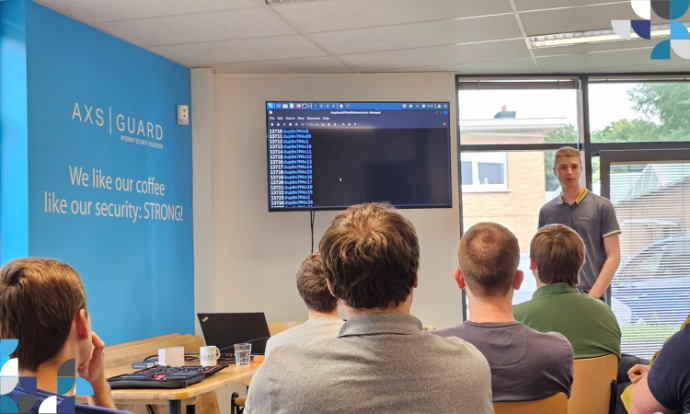
Technology alone can’t catch every attempt. Your team, trained to recognise phishing and social engineering, is the strongest first line of defence. Regular security awareness training turns employees from potential targets into vigilant protectors of the organisation — including around something as ordinary as an out-of-office message.
-
Inform your team before you leave
Tell your colleagues when you’ll be away. It’s a simple step, but it creates a real internal safeguard: if a suspicious message that appears to come from you lands in a colleague’s inbox while you’re out, they’ll know to be on alert. It’s often overlooked in larger organisations, yet it’s an easy addition to any security awareness routine.
FAQ — out-of-office replies and cybersecurity
Can an out-of-office reply really be used for phishing? Yes. An auto-reply that names a stand-in colleague, gives exact return dates, or reveals personal details gives an attacker the specific, credible information needed to craft a convincing phishing or social engineering message.
What information should I never include in an out-of-office message? Avoid exact travel dates, your destination, a colleague’s full name and personal email address, phone numbers, and any personal details. Keep the message professional and vague.
Who should I list as a backup contact? Use a generic, role-based address such as support@company.com or info@company.com rather than naming a specific colleague. It keeps the organisation reachable without exposing one person to targeted phishing attempts.
Is technology enough to prevent this kind of risk? No. Out-of-office abuse relies on human trust, not a technical vulnerability, so the most effective safeguard is a well-informed team — regular security awareness training alongside sensible auto-reply habits.
Curious how your team would handle a phishing attempt?
An out-of-office message is a small example of how much everyday habits matter for security. Explore Approach Cyber’s phishing & awareness services to see how ongoing training and simulations help your team recognise these attempts before they succeed.